
Meta
Building the content system for a 0‑to‑1 enterprise platform
- Naming
- Terminology
- Content architecture
- Company
- Meta
- Project
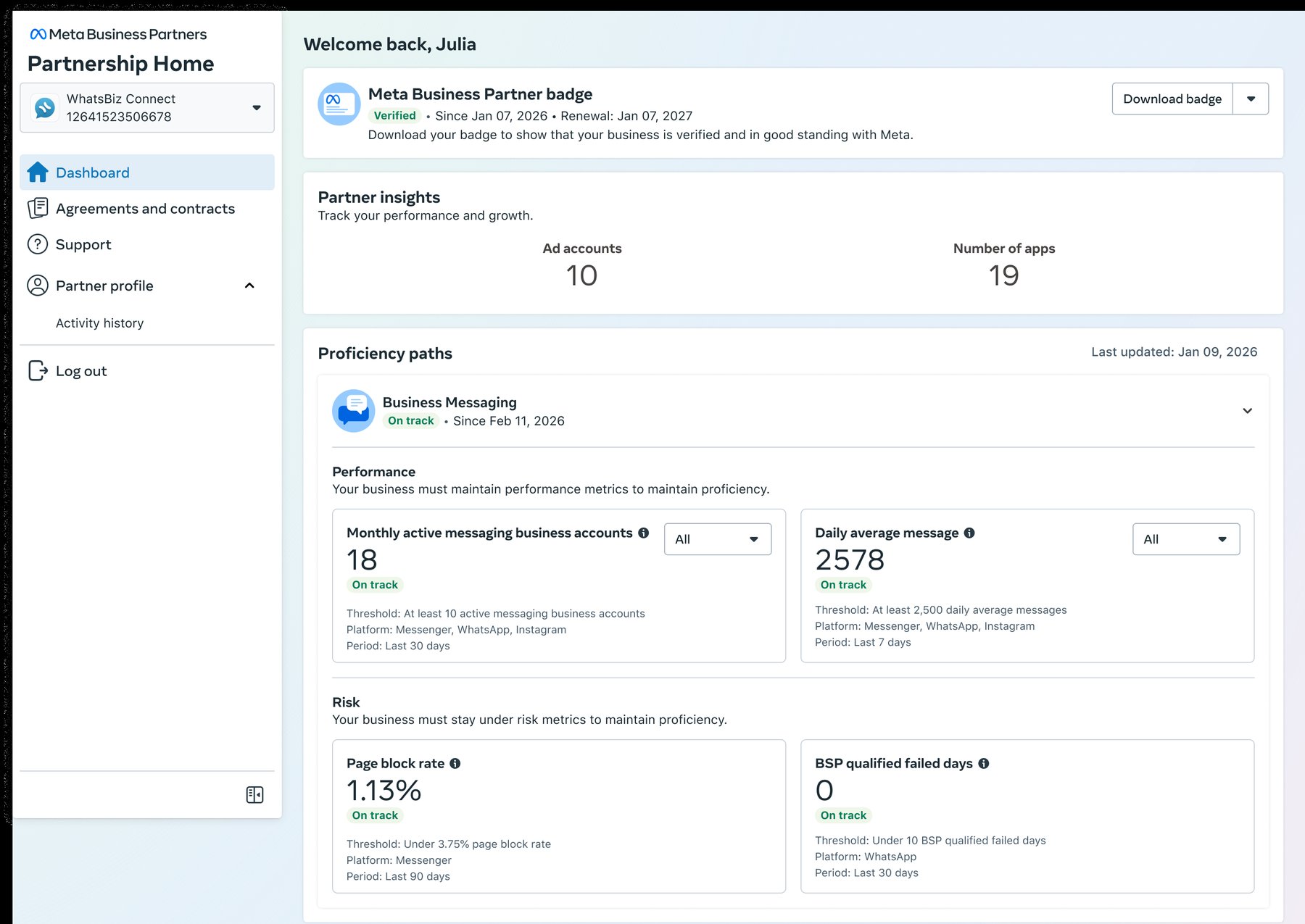
- Partnership Home
- My role
- Sole content designer
- Partners
- Product, Design, Engineering, Legal, Compliance, Marketing, Business teams
Overview
Meta Business Partners and agencies help businesses grow through Meta services like media buying, creative production, and business messaging. The goal was to create a new self-serve platform for all of them, starting with a pilot for Business Messaging partners.
As the sole content designer, I owned the end-to-end content, including product naming, content architecture, terminology, and UI copy.
Problem
Partners and agencies had to navigate six separate tools to get credentials and access programs and resources. The terminology was just as scattered. Many struggled to understand available resources and program requirements, leaving them dependent on Customer Success teams.
Approach
Name the platform
A name sets the mental model for everything inside it. We needed a name partners and agencies could understand.
I mapped the product's users, jobs, capabilities, and future use cases. Then I led a naming workshop with the team where I encouraged everyone to brainstorm widely, exploring both abstract and descriptive names.
Naming criteria
- Simple, straightforward, and human
- Fits the product system and ecosystem
- Doesn’t hide what it does
- Extends to future use cases
- Localizes across cultures
- A noun, not an acronym
Final name
After ranking names against Enterprise Product’s criteria and going through brand review, I named our new product Partnership Home.
Organize the platform by audience
I sat in on 10+ research sessions with the team. Even though the pilot would launch with Business Messaging partners only, I needed a high-level understanding of every audience to shape the platform’s architecture.
Final architecture
I split the platform into two spaces, one for Meta Business Partners and one for agencies. Within the Meta Business Partner space, each partner type gets its own section, so programs and requirements can vary without breaking the overall structure.
Create a content framework
Partners and agencies needed to intuitively navigate the platform and manage their businesses, no matter which program they were in. I organized each page around three questions they ask.
The framework
Identity
1“Where do I stand?”
Orients them.
Examples: enrollment status, deadlines, eligibility
Value
2“What do I get?”
Motivates them.
Examples: earnings, progress, unlocking benefits
Requirements
3“What do I have to do?”
Keeps them accountable.
Examples: performance metrics
How it scales
I translated the framework into seven reusable content patterns and documented the decisions behind them so the design team could extend the system to new pages and partner types.
Untangle the terminology
The journey map showed that many terms were used interchangeably, concepts were undefined, and labels didn’t match what they described. I needed to decide what to keep, rename, or retire.
Example 1: Deal pipeline
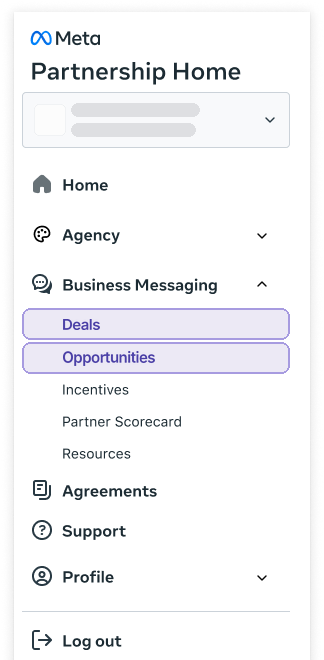
The old portal split Deals and Opportunities across two pages, even though they were stages of the same customer journey. Partners submitted a potential customer on the Deals page, waited for Meta to approve it, then tracked it through five pipeline stages on the Opportunities page.
“I don’t understand the difference between opportunities and deals. Why two places?”
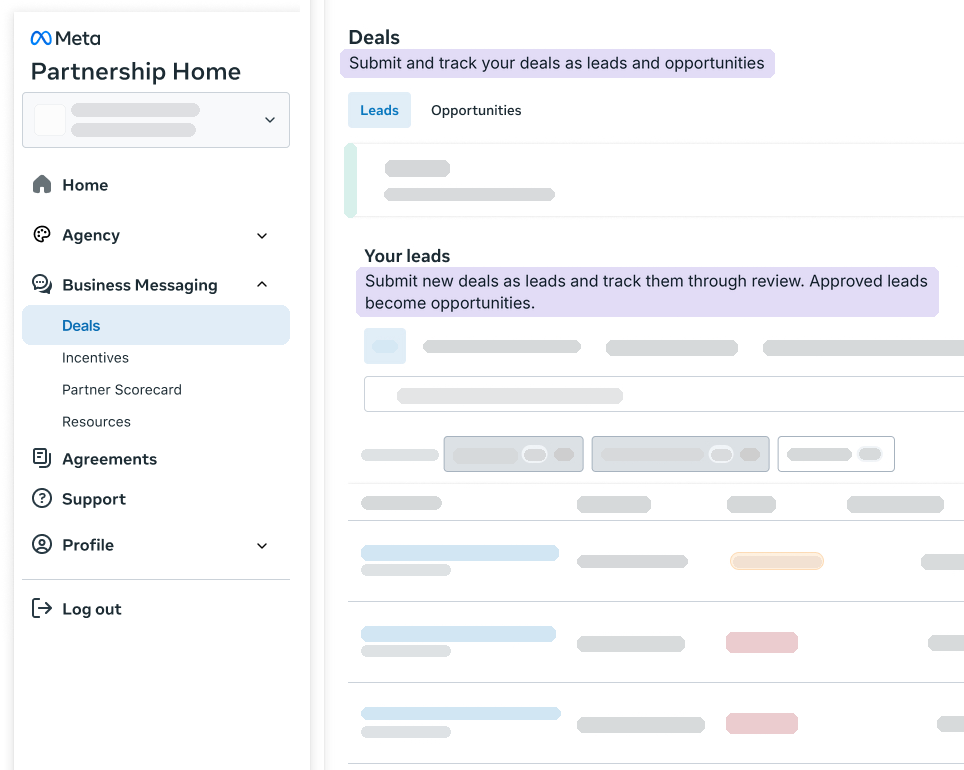
My first instinct was to merge them into one page. But when I looked at the job at each step, I realized the problem was lack of hierarchy.
I redefined Deals to be the umbrella term for the whole lifecycle and introduced Leads and Opportunities as stages of a deal.
Before
After
Example 2: Agency benefits
Ad Rewards and Test Recommendations offered different benefits, but the terms rewards, benefits, incentives, coupons, funding, vouchers, and ad credits were all used interchangeably across the two agency programs.
Agency benefits
ad credit common noun
: the monetary value of an earned benefit
- Used in both agency programs
- Long form is advertiser credit
- Never use advertising credit
reward common noun
: a benefit in the Ad Rewards program
- Ad Rewards (or Advertiser Rewards) is the program name
- Never use ad reward, coupon, or voucher when referring to a benefit in Ad Rewards
coupon common noun
: a benefit in the Test Recommendations program
- Never use reward or voucher when referring to a benefit in Test Recommendations
How it scales
I added the Partnership Home taxonomy, including the deal pipeline and agency benefits, to our content design AI agent and kept it updated as we added new terms. Now it can flag misused terms during review across Meta’s enterprise products.
Outcome
The pilot launched with Business Messaging partners, along with new badge and proficiency application processes. I owned the content for the pilot, including the onboarding flow, the UI copy explaining badging and proficiency, and the emails.
The business team measured success in the pilot’s first two weeks. I designed the emails to guide partners through each step of the application.
First two weeks
11
partners onboarded
7
earned the Meta Business Partner badge
2
claimed Business Messaging proficiency
100%
badge application completion rate
The pilot exceeded its goals, and the same content framework now runs across the pilot and the agency migration, with room for other partner types to follow.
Reflection
The hardest part was knowing which problems content alone could solve, and which needed policy or design changes too. Badging needed a policy change, the deal pipeline needed both design and content changes, and agency benefits needed content alone. It pushed me to look beyond the words, collaborate across teams, and find what was actually causing friction for partners and agencies.